2025 was a turning point for this little blog. Leaving the comfort zone of Wordpress.com was neither easy nor painless, especially when I discovered that once the site was online, Jekyll was slow, too slow to be usable.
Thankfully, Hugo saved the day, although there are still many details to be ironed out, first and foremost the website’s graphic design.
The video above is the official presentation of Google Antigravity, an IDE (Integrated Development Environment) that is not just a simple IDE but is “a new way of working for this next era of agentic intelligence”. I haven’t yet figured out what that truly means, but it surely sounds very smart and up‑to‑date.
It is not just a matter of disk icons. As soon as I saw what Tahoe had done to the icons of many applications installed on my Mac, I decided I had to do something to restore the original look of the icons.
I tried several times, using Apple’s home‑automation tools, Automator and Shortcuts, but nothing worked and there was always some function missing. Or maybe I’m just not very good at using them.
After less than two months since the official release, Tahoe seems poised to become another one of those macOS versions to be forgotten, like Lion, Mavericks, Sierra, Catalina, or Ventura.
Aside from Liquid Glass, which I’ll discuss in a moment, what does Tahoe have that’s memorable? There’s the telephone‑call filter, which actually belongs more to iOS than macOS and still has many limitations, and there are also improvements to Spotlight search. But is it really worth upgrading an operating system just for that?1
Learning a language is hard work: you have to learn vocabulary, study grammar, repeat endlessly. And then, once you know a bit of the language, you have to start reading, listening, speaking with others. In short, it’s no joke.
In the past it was even worse. We studied from massive tomes full of rules, made especially to make you hate the language. My high‑school English book dedicated fifteen pages just to the use of the definite article “the”. I never read a single line of that book.
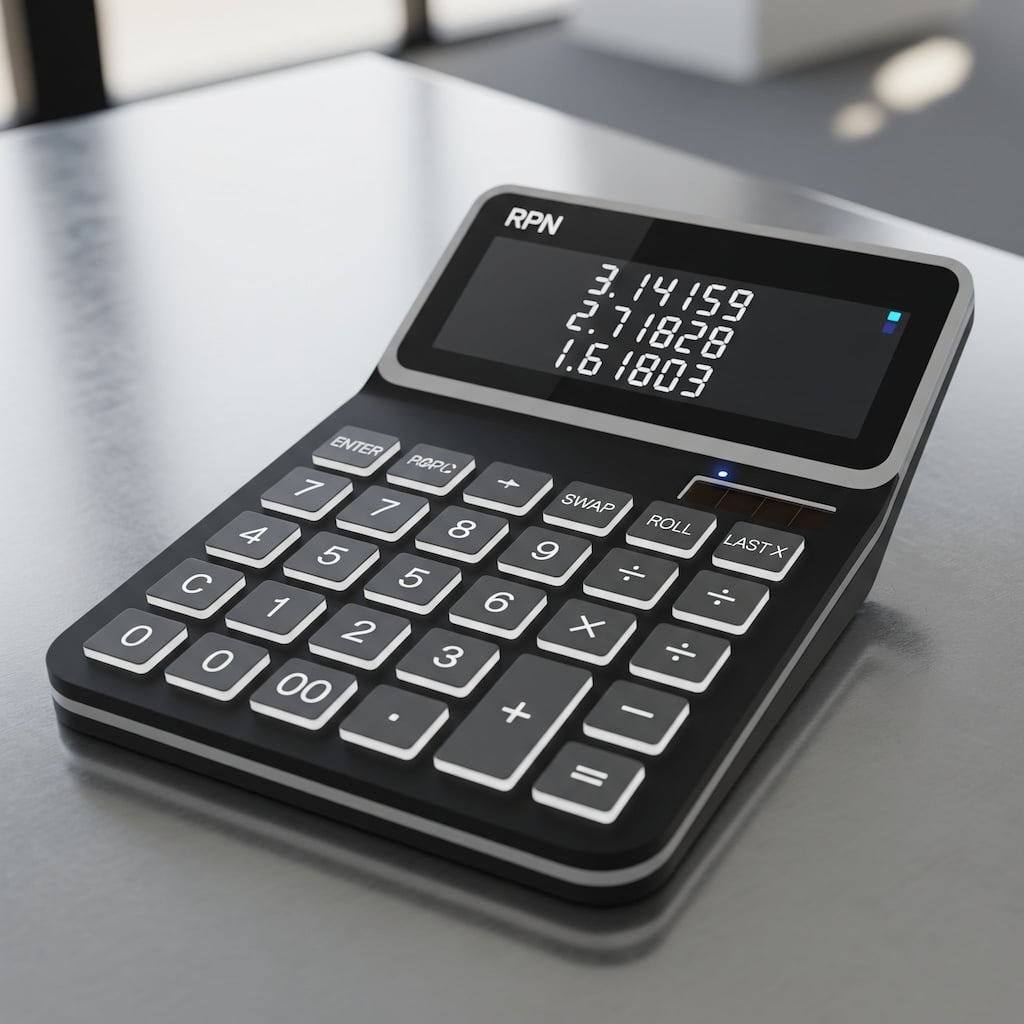
The Reverse Polish Notation (RPN) is a method for performing calculations without the need for parentheses. RPN was popularized in the ’70s and ’80s by Hewlett-Packard (HP), that used it in all its scientific and financial calculators.
When using calculators from rival Texas-Instruments, which all relied on parentheses, it was easy to lose track of how many parentheses had been opened or closed, often forcing users to re-enter the entire expression from scratch. Those who used an RPN calculator didn’t have these problems, although they had to overcome a small initial learning curve to get used to the new notation.
The last post literally drove me crazy. Not because of the length, although writing a text of over three thousand words and twenty thousand characters in two different languages is no small feat.
The real problem started when, at some point, the Markdown file of the Italian version of the post got corrupted. Whenever Hugo tried to convert it to HTML, the generated file showed the dreaded replacement character � instead of Italian accented letters. This is that black diamond with a white question mark inside that we have seen in tons of emails and web pages.
A few days ago, right on schedule, Apple released to developers the third update of the macOS 26 Developer Beta, better known as Tahoe.
Once the update is complete, it doesn’t take long to realize that Apple is (slowly) modifying something in the Liquid Glass graphical interface of the latest version of its operating system.1
– Image generated by Google Gemini.
Take macOS Tahoe, updated to version 26.0 Developer Beta 2, and open the Terminal. Actually, don’t just open one Terminal; open two, three, four different Terminals, each in its own tab. More or less like this:
Now tell me: which is the active Terminal?
It’s becoming a habit. Earlier this year, instead of waiting, like I usually do, for the next version of macOS to be ready (or nearly ready) before installing the current one, I installed Sequoia on all my Macs. A few days ago, I decided to take the plunge and install the very first developer beta of Tahoe on a Mac that I don’t use much, mainly to try out the new Liquid Glass interface on macOS.1
 IT
IT
 EN
EN